
8. GST and tax rates
8.1 Tax rates
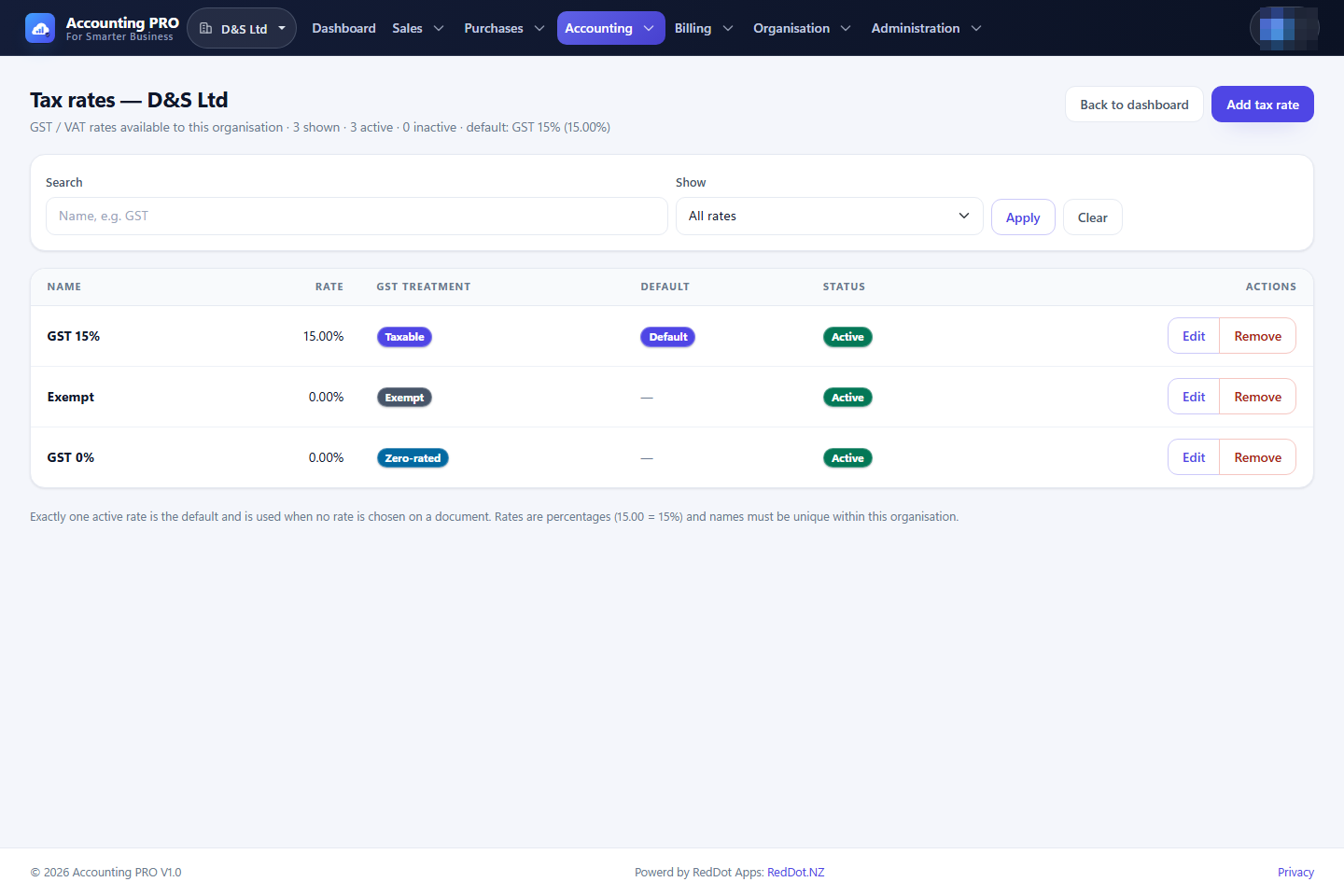
A tax rate describes how a supply is treated for GST: Standard (taxable), Zero-rated or Exempt. Each rate has a name, a percentage, an active flag and, for one rate, the default flag.
- Open Accounting → Tax rates.
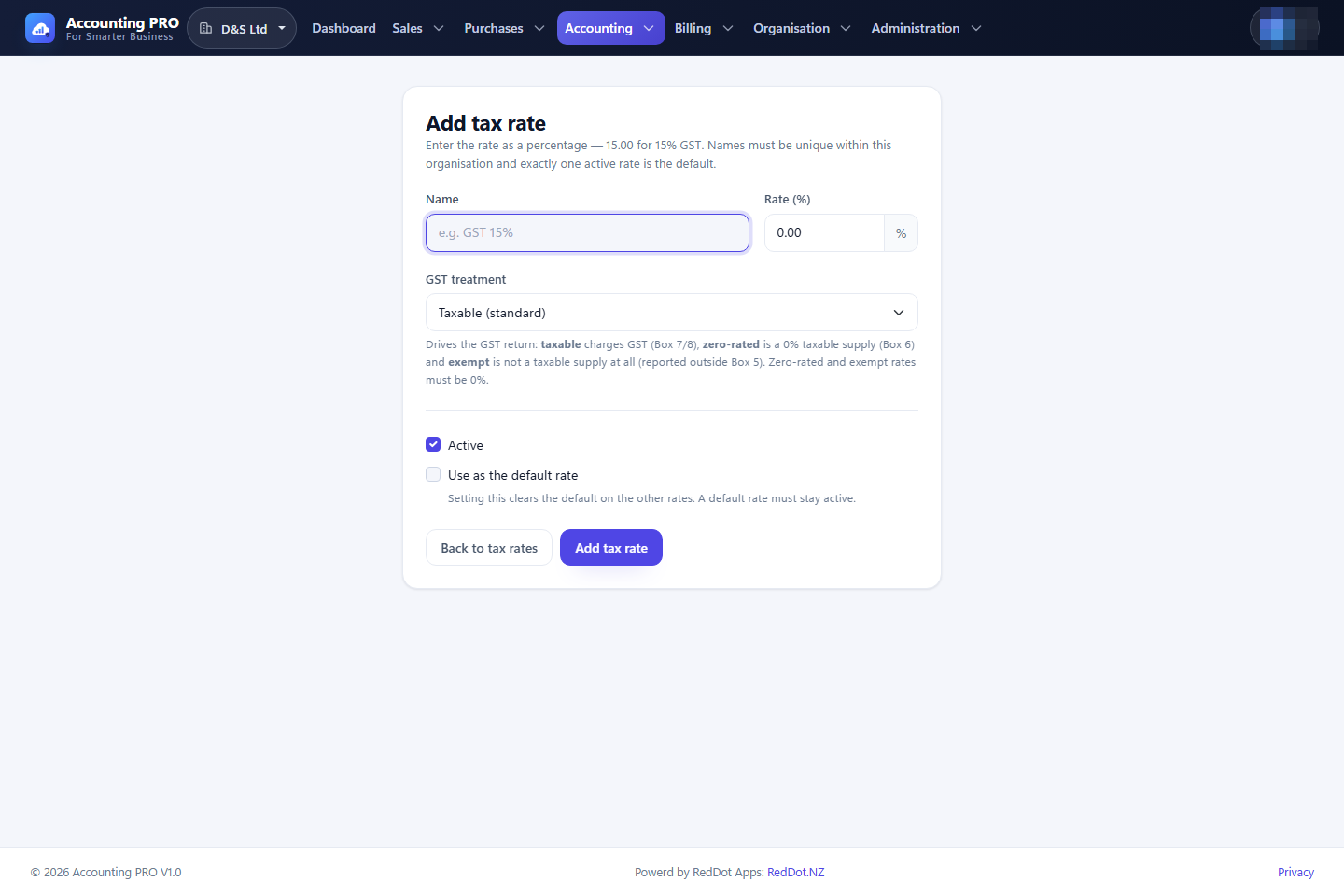
- Select Add tax rate.
- Enter a name (for example “GST 15%”), the rate and the treatment.
- Mark the rate as default if it should be preselected on new lines. Only one active rate is the default.
- Deactivate a rate to remove it from new documents; historical lines keep the rate they were posted with.
8.2 GST configuration
GST registration and filing frequency are organisation settings:
- Registered for GST — when off, the organisation charges and claims no GST.
- GST filing frequency — monthly, two-monthly (the New Zealand default) or six-monthly.
- Accounting basis — accrual or cash, which determines when GST is recognised.
Set these in Organisation → Settings before preparing the first return.
8.3 The GST return register
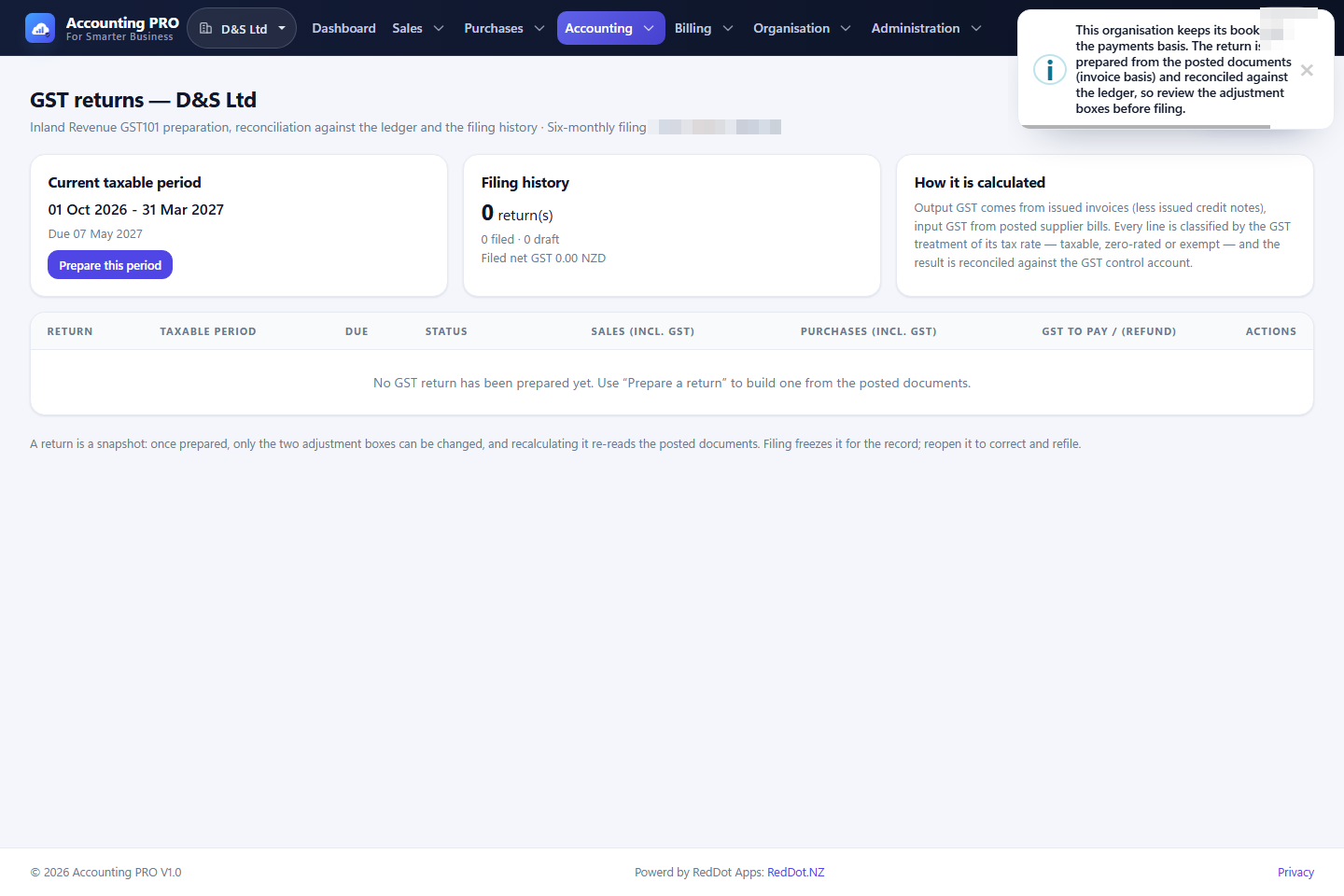
Accounting → GST returns lists every prepared return with its period, due date, status, GST to pay or refund, and filing details.
- A Draft return can be recalculated, adjusted, deleted or marked filed.
- A Filed return is frozen with its filing trail and can only be reopened.
- Each taxable period may only have one return, so a period cannot be filed twice.
8.4 Prepare a GST101 return
- Open Accounting → GST returns and select Prepare GST return.
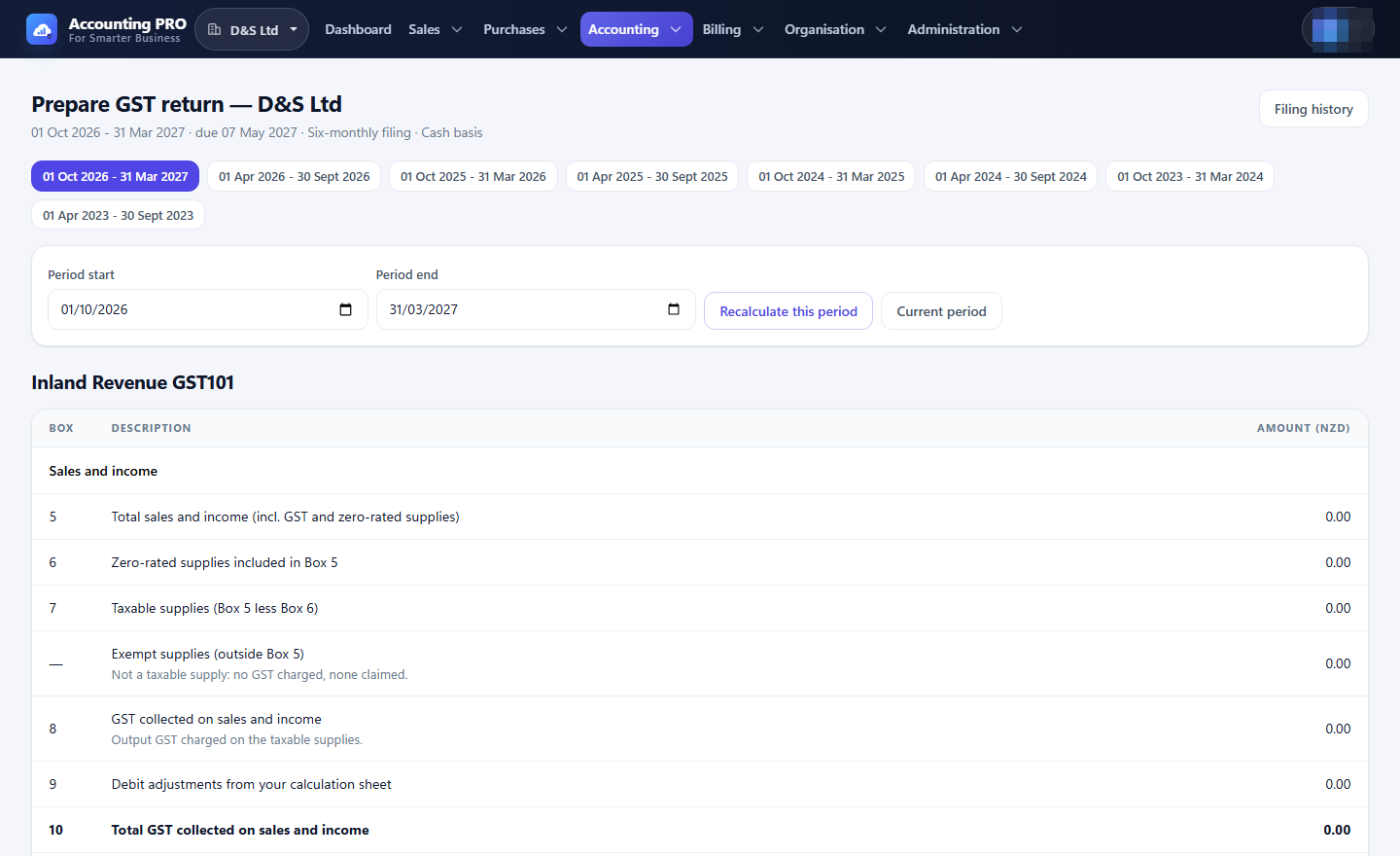
- Choose a period from the period picker, or enter a custom start and end date. The due date and return number are derived from the period end.
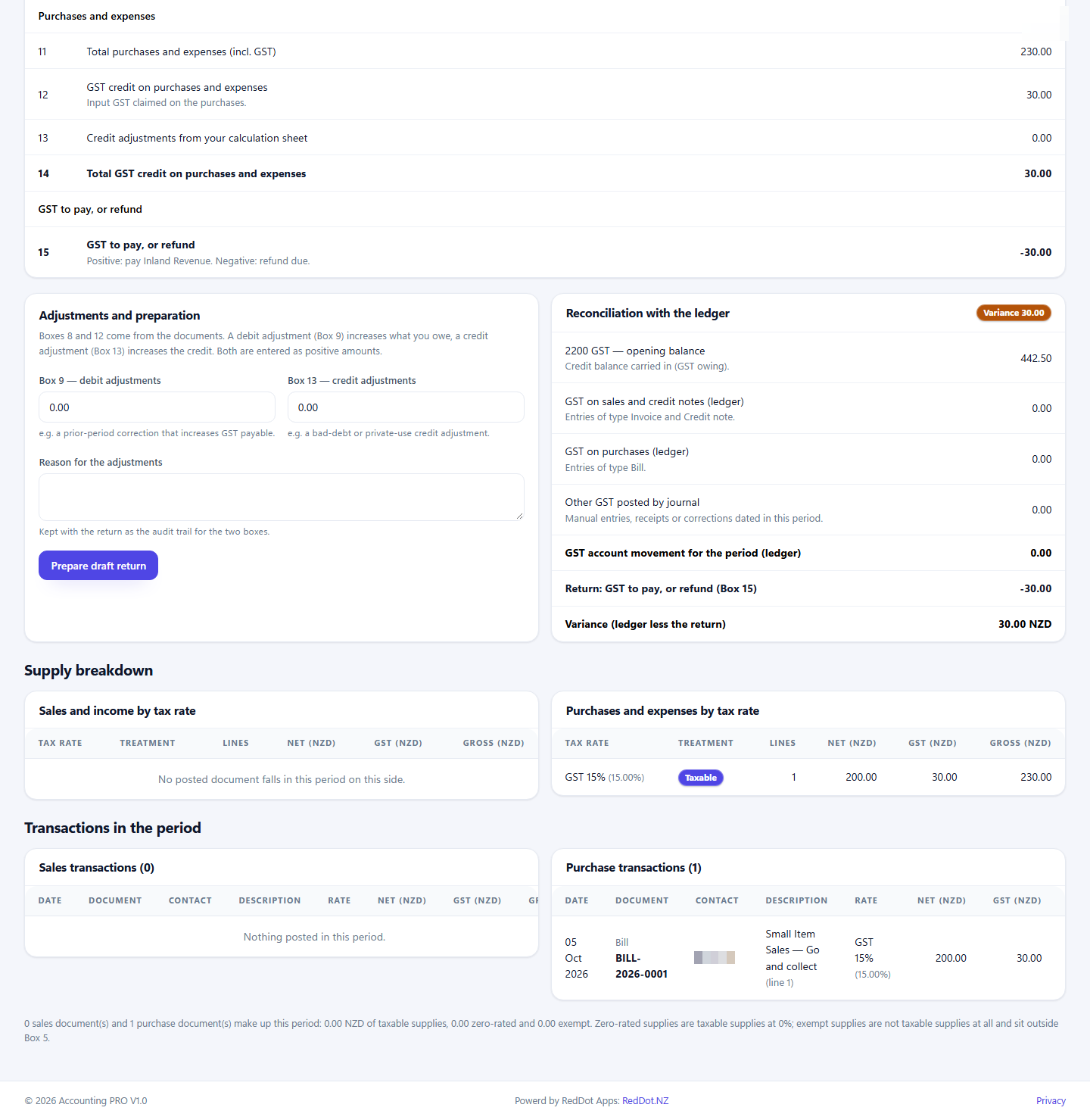
- Review the GST101 boxes. They are calculated from posted invoices, credit notes and supplier bills, classified by each line's tax treatment:
| Box | Meaning |
|---|---|
| 5 | Total sales and income, including GST and zero-rated supplies |
| 6 | Zero-rated supplies included in Box 5 |
| 7 | Taxable supplies (Box 5 less Box 6) |
| 8 | GST collected on sales and income (output GST) |
| 9 | Debit adjustments (entered by you) |
| 10 | Total GST collected (Box 8 plus Box 9) |
| 11 | Total purchases and expenses, including GST |
| 12 | GST credit on purchases and expenses (input GST) |
| 13 | Credit adjustments (entered by you) |
| 14 | Total GST credit (Box 12 plus Box 13) |
| 15 | GST to pay or refund (Box 10 less Box 14) |
- If needed, enter Box 9 and Box 13 adjustments and a reason. The two adjustment boxes are the only figures you can type; every other box is calculated from the documents.
- Check the Supply breakdown and the Transactions in the period panels: they list the documents behind the totals, grouped by tax rate and treatment.
- Check Reconciliation with the ledger: it compares the GST control account movement with Box 15 and shows the variance.
- Select Prepare draft return.
8.5 Adjust, file and export a return
On a draft return:
- Recalculate re-runs the calculation after late postings, keeping your adjustment boxes and note.
- Save adjustments updates Box 9, Box 13 and the reason.
- Mark filed records the filing, the IRD receipt number (optional) and the filing date, and freezes the return.
- Reopen moves a filed return back to draft for correction.
- Delete removes a draft; a filed return is never deleted.
- Export produces the return as Excel or PDF.
A positive Box 15 is GST to pay; a negative amount is a refund. A variance in the ledger reconciliation is a prompt to check unposted documents, journals that touch the GST account, or adjustments.